
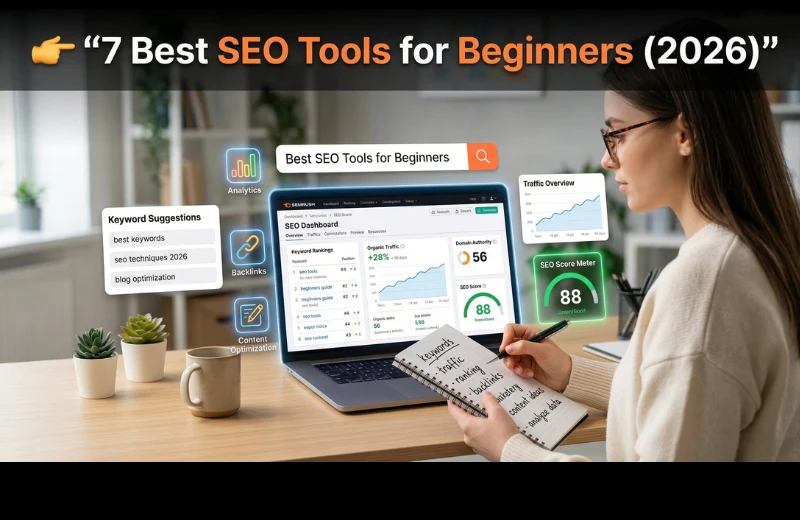
Getting Started with SEO Doesn’t Have to Be Overwhelming
Let me be honest with you.
When I first started learning SEO, I wasted weeks jumping between random tools. One tool showed keywords, another showed backlinks, and half of them made zero sense.
If you’re feeling confused right now… that’s normal.
The good news? You don’t need 20 tools to get results.
In fact, a few right SEO tools for beginners can help you:
- Find keywords people actually search for
- Understand what your competitors are doing
- Fix your website issues
- Start getting traffic (even as a beginner)
In this guide, I’ll break down the Best SEO Tools for Beginners in 2026—both free and paid—based on real experience.
What Makes an SEO Tool Beginner-Friendly?
Before we jump into tools, let’s keep this simple.
A beginner-friendly SEO tool should:
- Be easy to use (no technical headaches)
- Show clear data (not confusing graphs)
- Help you take action (not just data overload)
If a tool makes you feel lost, it’s not the right tool—at least not yet.
Best SEO Tools for Beginners (Free & Paid)

1. Semrush — The All-in-One Power Tool
If you want one tool that does almost everything, this is it.
I still remember the first time I used Semrush. It felt like cheating. You can literally type a keyword and instantly see:
- Search volume
- Competition
- Keyword ideas
- What your competitors rank for
Why beginners love it:
- Clean dashboard
- Step-by-step suggestions
- Keyword research made simple
Best for:
- Keyword research
- Content ideas
- Competitor analysis
Pro Tip: Use the “Keyword Magic Tool” to find low-competition keywords fast.
If you’re serious about growing traffic or making money online, this tool is worth checking out.
2. Ubersuggest — Simple & Budget-Friendly
If Semrush feels too advanced (or expensive), Ubersuggest is a great starting point.
It’s like a “lite version” of premium SEO tools.
What you get:
- Keyword ideas
- SEO difficulty score
- Content suggestions
- Basic site audit
Why it’s beginner-friendly:
- Very easy interface
- Clear data (no confusion)
- Affordable pricing
Best for:
- Bloggers
- Affiliate beginners
- Small websites
3. Google Search Console — Your Free SEO Dashboard
This is non-negotiable.
If you have a website and you’re not using Google Search Console, you’re missing out.
It shows:
- Which keywords bring traffic
- Your ranking positions
- Click-through rates
- Indexing issues
Why it matters:
This is real data from Google—not estimates.
Best part?
It’s completely free.
Pro Tip: Check the “Performance” tab weekly to find easy ranking opportunities.
4. Ahrefs — Best for Learning Competitor SEO
Ahrefs is powerful. But for beginners, I recommend using it mainly for:
- Backlink analysis
- Competitor research
What makes it special:
- Accurate data
- Huge backlink database
- Great keyword insights
Beginner use case:
Find what’s already working for others… and do it better.
5. Yoast SEO — On-Page SEO Made Easy
If you use WordPress, this plugin is a must.
It helps you:
- Optimize titles and meta descriptions
- Improve readability
- Add keywords properly
Why beginners love it:
- Simple red/green indicators
- Real-time suggestions
Best for:
- Blog optimization
- On-page SEO basics
6. AnswerThePublic — Content Idea Generator
Ever run out of content ideas?
This tool solves that.
It shows:
- Questions people ask
- Search queries
- Topic clusters
Example:
Type “SEO tools” → get 50+ content ideas instantly.
Best for:
- Blog topics
- YouTube content
- FAQ ideas
7. Google Analytics — Understand Your Visitors
SEO isn’t just about traffic—it’s about what people do on your site.
This tool shows:
- Where your traffic comes from
- Which pages perform best
- User behavior
Why it matters:
You can double down on what’s working.
Semrush vs Ahrefs (Beginner Perspective)
Here’s a simple breakdown based on real use:
| Feature | Semrush | Ahrefs |
| Ease of Use | Beginner-friendly | Slightly advanced |
| Keyword Research | Excellent | Very strong |
| Backlink Analysis | Good | Best-in-class |
| Content Tools | Strong | Limited |
| Best For | All-in-one SEO | Deep analysis |
My honest take:
- Start with Semrush
- Add Ahrefs later when you grow
Step-by-Step: How Beginners Should Use SEO Tools
If you’re just starting, don’t overcomplicate it.
Follow this simple workflow:
Step 1: Find Keywords
Use:
- Semrush
- Ubersuggest
Look for:
- Low competition
- Decent search volume
Step 2: Create Content
Use:
- AnswerThePublic
- Keyword ideas
Focus on solving real problems.
Step 3: Optimize Your Page
Use:
- Yoast SEO
Make sure:
- Keyword is in title
- Meta description is clear
- Content is readable
Step 4: Track Performance
Use:
- Google Search Console
- Google Analytics
Watch:
- Clicks
- Rankings
- Traffic growth
My Experience (What Actually Worked for Me)
I’ll keep this real.
In my first 3 months, I tried too many tools and got nowhere.
Then I simplified everything:
- Used Semrush for keyword research
- Used Google Search Console to track growth
- Focused on writing helpful content
That’s it.
Within a few weeks:
- My pages started ranking
- Traffic slowly increased
- I got my first affiliate clicks
The biggest lesson?
Tools don’t make money. Strategy does.
Common Mistakes Beginners Make
Avoid these, and you’ll move faster:
- Using too many tools at once
- Targeting high-competition keywords
- Ignoring search intent
- Not tracking results
- Copying competitors blindly
Actionable Tips to Get Results Faster
If you want quicker wins:
- Focus on long-tail keywords
- Publish consistently (2–3 posts/week)
- Update old content regularly
- Use internal linking
- Target “easy win” keywords from Search Console
Small improvements = big results over time.
Final Thoughts
You don’t need expensive tools to start.
But the right tools can save you months of guesswork.
If I had to start again today:
- I’d use Google Search Console (free)
- Pair it with Semrush (for growth)
If you’re serious about building traffic or earning through SEO, investing in the right tool early can make a huge difference.
FAQ
- What are the best SEO tools for beginners?
The best SEO tools for beginners include Semrush, Ubersuggest, and Google Search Console. They are easy to use and provide actionable insights. - Are free SEO tools enough to start?
Yes, free SEO tools like Google Search Console and Google Analytics are enough to start. Paid tools help you scale faster. - Which SEO tool is easiest for beginners?
Ubersuggest is one of the easiest SEO tools for beginners due to its simple interface and clear data presentation. - Do I need paid SEO tools in 2026?
Not at the beginning. But if you want faster growth and deeper insights, paid SEO software like Semrush is helpful. - How many SEO tools should I use as a beginner?
Start with 2–3 tools only. Too many tools can confuse you and slow your progress.