
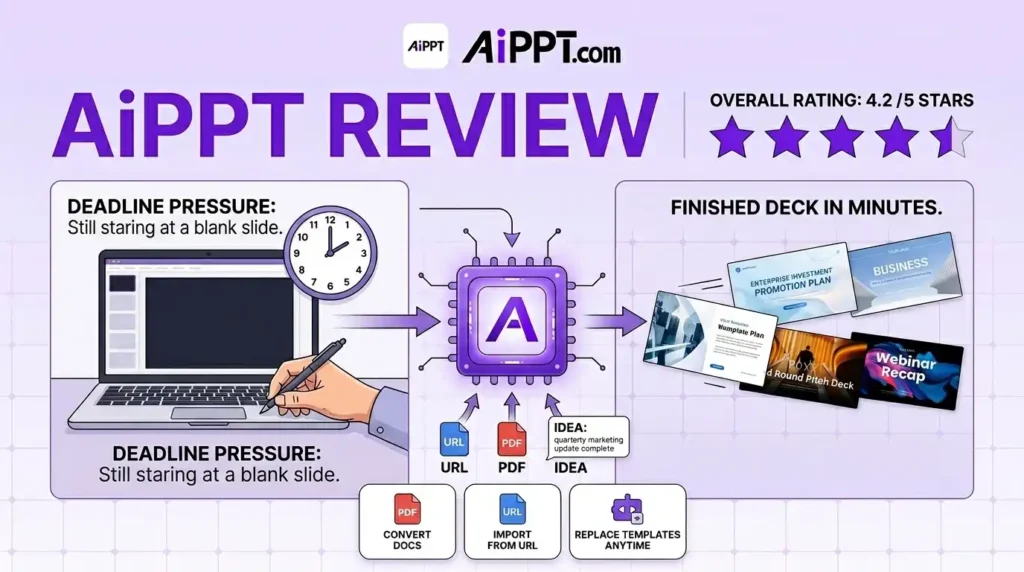
The Blank Slide Problem Is Real And It Wastes Hours
You have a presentation due tomorrow.
You open PowerPoint. Or Google Slides. And you just… sit there.
You know what you want to say. But staring at a blank slide feels like writer’s block, except worse because now you also have to worry about fonts, colors, layouts, and whether everything “looks professional.”
Sound familiar?
This is exactly why tools like AiPPT are getting so much attention right now especially with the AiPPT AppSumo deal making lifetime access available at a one-time price.
I’ve gone through real user feedback, tested the workflow, and dug into the details to give you an honest, complete picture. No fluff. No fake hype.
Let’s get into it.
What Is AiPPT?
AiPPT is an online presentation-building tool that turns your ideas, documents, or web pages into ready-to-use slide decks fast.
You don’t need design skills. You don’t need to be a PowerPoint expert.
You just give it something to work with a topic, a PDF, a URL, a rough paragraph and it builds a structured, professional-looking presentation for you.
The biggest strength of AiPPT is speed. Creating presentations is usually one of those tasks that sounds simple but ends up consuming hours. AiPPT aims to eliminate most of that process, and based on user experiences, it does a surprisingly good job.
It’s built for people who create presentations regularly but don’t want to spend half their day doing it.
Who Is AiPPT For?
This tool makes the most sense for:
- Freelancers who build client decks regularly
- Marketers who need quick pitch or campaign presentations
- Bloggers and content creators who repurpose written content into slides
- Small business owners who present ideas to clients or teams
- Educators who need training materials fast
- Beginners who find traditional presentation tools overwhelming
- Agencies that want to speed up their proposal process
If you fall into any of those categories and you’re looking for a productivity shortcut this AiPPT review is for you.
Key Features of AiPPT
Here’s what the tool can actually do, explained simply:
Generate Slides from a Topic or Idea Type a rough description of what you need say, “content marketing strategy for a small bakery” and AiPPT builds an outline and slide deck from that. No organizing required upfront.
Convert PDFs, Word Docs, and TXT Files Upload a document you already have and AiPPT restructures it into presentation-ready slides. Great for turning long reports into quick visual summaries.
Import from Google Drive If your documents live in Google Drive, you can pull them directly without downloading and re-uploading. Simple and practical.
Convert URLs to Slides Paste a web page link and AiPPT turns the content into a structured deck. This one’s surprisingly useful for turning blog posts or research articles into presentations.
Add Slides with One Click Midway through your deck and need one more slide? Describe what you need and it’s added in seconds. No rebuilding from scratch.
Replace Templates Without Losing Content Not happy with the visual style? Swap the template anytime your content stays in place. This is something most tools don’t do well.
Export as PPT, PDF, or Image Whatever format your client or team needs, you’re covered. No external converters required.
User Experience and Ease of Use
Setup is fast. You don’t need to install anything it’s entirely browser-based.
The dashboard is clean and organized. If you’ve ever opened a new tool and immediately felt lost, AiPPT isn’t that experience.
The platform is beginner-friendly, produces visually appealing slides, and is especially useful for freelancers, marketers, educators, and business professionals who create presentations regularly.
Most users report that the onboarding takes just a few minutes. Pick your input method (topic, file, URL, or free text), review the outline it generates, and the slides are ready.
The learning curve is minimal. Even someone who’s never used a presentation tool before can get a working deck on their screen within minutes.
Real Benefits of Using AiPPT
Let’s talk about what this actually changes in your day-to-day workflow.
You solve the blank-slide problem immediately. Instead of spending 30–40 minutes just getting started, you have structure and content ready in under five minutes. That’s a real shift.
Your first draft is already most of the way there. Many users reported being able to turn PDFs, URLs, Word documents, and even rough ideas into professional-looking slide decks within minutes. Several reviewers mentioned that the AI-generated presentations were already 80–90% complete, requiring only minor edits before client meetings, training sessions, webinars, or business presentations.
You repurpose content without extra work. If you’ve written a blog post, a report, or even a detailed email, you already have a presentation. AiPPT just makes it visible.
You present faster, more confidently. When you’re not scrambling over formatting until 11 PM the night before a meeting, you actually have time to prepare what you want to say.
Things I Liked
- Speed is genuinely impressive from idea to draft in minutes
- Supports multiple input types (PDF, URL, Google Drive, free text)
- Clean dashboard with very little learning curve
- Swap templates without losing your content
- Export flexibility — PPT, PDF, or image formats
- The generated slides generally look modern, clean, and professional and the newer image generation options received praise from users who wanted presentations that looked custom-designed rather than template-based
- Strong value at the AppSumo lifetime price point
Things That Could Be Better
No tool is perfect. Here’s what to keep in mind before you buy.
Branding customization is still limited. Several users pointed out that they cannot yet fully integrate company branding, logos, brand colors, or custom templates as easily as they would like. For agencies and businesses that need strict brand consistency, this can be a limitation.
Slides can get text-heavy. The tool sometimes tries to include too much information on a single slide, requiring manual cleanup afterward. You’ll want to do a final pass to trim things down.
Some editing quirks. There were reports of editing frustrations, inconsistent slide designs, layout issues, and a lack of version history or undo functionality. These aren’t dealbreakers, but worth knowing going in.
Credit system changes frustrated some users. A few long-time users expressed disappointment after updates reduced the number of presentations they could generate compared to previous limits. Read the current plan details carefully before purchasing.
Who Should Use AiPPT and Who Probably Shouldn’t
Great fit if you:
- Build presentations regularly (even twice a month)
- Want faster first drafts without hiring a designer
- Repurpose written content into slide decks
- Are a beginner who finds traditional tools frustrating
- Run an agency that needs quick client proposals
Maybe not the right fit if you:
- Need strict, pixel-perfect brand control on every slide
- Require enterprise-level design consistency
- Plan to use it multiple times daily at maximum capacity check the credit limits per plan carefully
How Does AiPPT Compare to Similar Tools?
There are a few other presentation tools in this space Gamma, Beautiful.ai, Canva’s presentation mode, and Slidebean among them.
Here’s the quick picture:
Gamma is polished and great for storytelling-style decks, but leans more toward web-based presentations than traditional PPT exports.
Beautiful.ai has strong auto-design features but comes with a higher monthly subscription cost and a steeper learning curve.
Canva is excellent for visual design flexibility, but it’s not built specifically around fast presentation generation from documents or URLs.
Even experienced professionals who have used tools like Gamma, Canva, and other presentation generators frequently describe AiPPT as one of the best options they’ve tried particularly for speed and practical usability.
Where AiPPT stands out is the combination of multi-input flexibility (URL, PDF, Drive, free text) plus a one-time lifetime price through the AppSumo deal. That pricing model alone separates it from most competitors.
AiPPT Pricing & the AppSumo Lifetime Deal
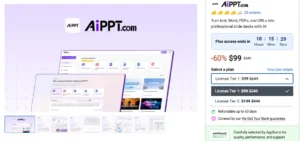
This is where things get genuinely interesting.
Most comparable tools charge $20–$40 per month. That’s $240–$480 per year just to keep the lights on.
The AiPPT AppSumo Lifetime Deal changes that math completely.
License Tier 1 — $99 (one-time) 20 generations/day, 500 image credits/month, up to 20 slides per project, 30 edits/day. Good for occasional or moderate use.
License Tier 2 — $149 (one-time) 40 generations/day, 1,000 image credits/month, up to 50 slides per project, unlimited daily edits. Better for regular or heavier use.
Both tiers include unlimited template replacements, Google Drive import, URL import, PPT/PDF/image export, and access to advanced models.
Both also come with AppSumo’s 60-day money-back guarantee so you can try it with zero risk.
If you create even 2–3 presentations a month, Tier 2 pays for itself in under four months compared to a typical monthly subscription.
👉 Check the current AiPPT AppSumo deal here
Is the AiPPT AppSumo Deal Worth Buying?
Here’s the honest answer: yes, for most people who create presentations regularly.
AiPPT is one of the strongest presentation tools currently available for rapid slide creation. It dramatically reduces the time needed to build presentations and delivers impressive first drafts. While it still needs improvements in customization, editing flexibility, and branding support, the overall value is difficult to ignore.
The lifetime deal removes the recurring cost concern entirely. The 60-day guarantee means you can actually test it on real projects before you’re committed.
If your goal is faster first drafts, less time staring at blank slides, and a tool that handles structure and layout for you AiPPT delivers that.
If you need deep brand customization or very high daily volume, read the plan details carefully and set realistic expectations.
Final Verdict
I came into this AiPPT review curious but neutral.
I’m leaving with a clear recommendation for the right type of user.
AiPPT isn’t a magic button. It won’t replace good presentation thinking or professional design work. But it solves the problem most people actually have: getting from zero to a working, professional-looking draft as fast as possible.
For freelancers, marketers, educators, small business owners, and anyone who regularly creates presentations the AiPPT AppSumo Lifetime Deal is one of the more practical tool purchases I’ve come across this year.
My Rating: 4.4/5 ⭐
Strong for speed and practicality. Room to grow in branding and editing flexibility. But at a one-time price with a money-back guarantee? It’s worth a serious look.
Frequently Asked Questions
Q: What is AiPPT and what does it do? AiPPT is an online presentation tool that turns ideas, documents, PDFs, URLs, and Google Drive files into professional slide decks automatically. It’s designed to save time and make presentation creation much faster.
Q: Is the AiPPT AppSumo deal a lifetime deal? Yes. The AiPPT AppSumo deal offers lifetime access starting at $99 (Tier 1) or $149 (Tier 2) no monthly subscription required. Both include a 60-day money-back guarantee.
Q: Is AiPPT good for beginners? Yes. The interface is simple, the setup takes just a few minutes, and you don’t need any design experience to get started. Most users describe it as beginner-friendly.
Q: What’s the difference between Tier 1 and Tier 2? Tier 1 ($99) gives you 20 generations/day, 500 image credits/month, up to 20 slides per project, and 30 edits/day. Tier 2 ($149) doubles most limits and gives you unlimited daily edits, making it better for regular or heavier use.
Q: Can I export presentations from AiPPT?
Yes. You can export your presentations as PPT, PDF, or image files so whatever format your client or team needs, you’re covered.
Q: How does AiPPT compare to Gamma or Canva?
AiPPT focuses specifically on fast generation from multiple input types (PDF, URL, Drive, free text) and traditional PPT export. Gamma leans toward web presentations, and Canva is stronger on visual design but not built around document-to-slide conversion. AiPPT’s lifetime pricing also makes it more accessible than most monthly subscription alternatives.
Q: Are there any limitations I should know about?
Yes. Custom branding options are still limited, some slides can be text-heavy, and the credit system has limits per plan. For strict brand-consistency needs, you may need to do extra manual editing. Read the plan details carefully if you plan to use it heavily every day.
Q: Is there a refund policy for the AiPPT AppSumo deal?
Yes. AppSumo offers a 60-day money-back guarantee on the AiPPT Lifetime Deal so you can test it on real projects before fully committing.
Have you tried AiPPT or another presentation tool? What’s the biggest time-waster in your current slide-building process? Drop it in the comments I read every reply.