
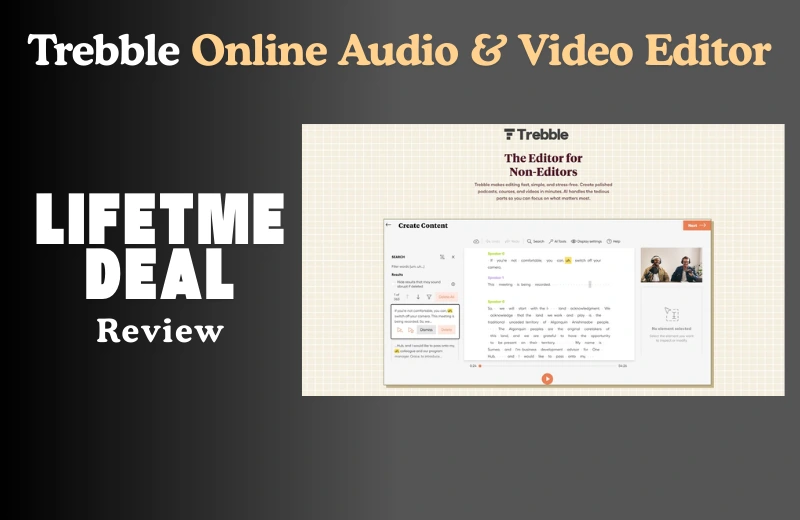
Ever spent hours trying to clean up a podcast or edit out those awkward “ums” from your voiceovers? I’ve been there too—and that’s exactly why I dove into the Trebble Online Audio & Video Editor Review. After testing loads of tools that promised pro-level editing without the stress, Trebble surprised me with how simple, fast, and beginner-friendly it really is. As someone who juggles content creation and coaching, I need something that saves time and delivers quality—and Trebble delivers on both. In this review, I’ll walk you through how it works, what makes it stand out, and whether it’s the right fit for your creative flow. Let’s jump in and see if Trebble lives up to the hype. Get lifetime access to Trebble here.
How It Works for Me
I was struggling to find an audio editing tool that didn’t make me feel like I needed a degree in sound engineering. Most tools were either too basic or way too complicated for someone who just wanted to clean up voiceovers and podcasts. Then I discovered Trebble Online Audio & Video Editor—and honestly, it felt like the missing puzzle piece. It let me edit my audio like a Word doc, and that blew my mind in the best way.
What Stood Out to Me?
- Transcription-Based Editing: I could edit the text, and it automatically updated the audio. That was a game-changer for me.
- Magic Sound Enhancer™: My recordings sounded like they were done in a professional studio—even when I used my basic mic.
- One-Click Noise Reduction: Removed background buzz and air conditioner hum with zero effort.
- Simple UI: Everything is laid out clearly. No learning curve, even for beginners.
- Built-in Sound Library: I didn’t have to hunt for license-free music or effects—they were already inside.
Who Is This Suitable For?
- Podcasters who want quick edits and professional-quality sound without hiring an editor.
- Course Creators & Educators who want to produce clear audio that keeps learners focused.
- YouTubers & Content Creators who need fast, clean edits for videos or voiceovers.
- Solopreneurs who need something reliable without monthly fees.
My Personal Experience
I mainly use Trebble to edit podcast episodes and tutorial videos. I record on a basic setup, but with Trebble, my audio sounds much better than I expected. For example, I uploaded a noisy screencast recording and used the Magic Enhancer—it cleaned it up so well, I didn’t need to re-record.
Another time, I had to edit a last-minute podcast. I simply deleted filler words from the text transcript, and it synced the audio perfectly. That saved me at least an hour of manual editing. Even trimming silences and gaps felt intuitive. I’ve even used it to turn blog posts into audio snippets for my newsletter.
Pricing
If you’re looking at the Trebble Online Audio & Video Editor Lifetime Deal, the single code plan at $69 is a solid starting point. It gives you:
- Lifetime access
- 120 minutes of transcription per month
- Access to the Magic Sound Enhancer™
- Built-in music & SFX library
Here’s a quick comparison:
| Plan | Price | Transcription Time/Month | Best For |
| Free | $0 | 30 mins | Testing the waters |
| Starter | $7.99/mo | 5 hours | Light monthly use |
| Pro | $19.99/mo | 10+ hours | Heavy users, larger productions |
| Lifetime Deal | $69 (one-time) | 2 hours/month | Long-term savings, solopreneurs |
You can stack more codes to increase your monthly limits if needed. For me, the lifetime deal made more sense than paying monthly. Explore the Trebble Lifetime Deal!
Pros and Cons
| Pros | Cons |
| Transcription-based editing is fast & easy | Rendering can feel slow for longer files |
| Great sound cleanup with one click | No desktop app—cloud-only for now |
| Excellent value with the lifetime deal | Advanced editing features still in development |
| Perfect for beginners and casual users | Some minor bugs when uploading large files |
| Support team is responsive and helpful | UI could use a few more visual cues in places |
Should You Buy It?
If you’re a solo creator, educator, or podcaster looking for a simple yet powerful editor, Trebble is a fantastic choice. It makes editing painless, even if you’re new to audio. Plus, with its transcription-first workflow, you’ll save loads of time.
However, if you’re a professional sound engineer or someone who needs multi-track advanced features right now, Trebble might not be robust enough—yet. You may want to keep an eye on their roadmap and see how it grows.
But for most content creators? It’s an easy win—especially at the lifetime deal price. Give it a spin and see how much smoother your workflow can be.
FAQs
Q1: What is Trebble Online Audio & Video Editor used for?
Trebble helps you edit podcasts, voiceovers, and videos using text-based editing and AI features. It’s perfect for quick and clean audio content.
Q2: Is Trebble Online Audio & Video Editor beginner-friendly?
Yes, Trebble is easy to use. You edit your content like a Word document, making it ideal for beginners and non-tech users.
Q3: Does the Trebble lifetime deal include transcription?
Yes, the lifetime deal includes 120 minutes of audio transcription per month with the option to stack codes for more time.
Q4: How does Trebble improve sound quality?
Trebble uses AI tools like Magic Sound Enhancer and one-click noise reduction to clean up your audio and make it sound studio-quality.
Q5: Can Trebble Online Audio & Video Editor replace Descript?
For most solo creators, yes. Trebble offers a simpler interface and useful features that make it a strong alternative to Descript.
Q6: Is Trebble suitable for YouTubers and course creators?
Absolutely. Trebble helps clean and polish voiceovers, tutorials, and course materials quickly with professional results.
Q7: Does Trebble offer a free plan to test the features?
Yes, Trebble has a free plan with 30 minutes of transcription per month. It’s a good way to try the features before upgrading.
Q8: Can I edit video files with Trebble?
Yes, Trebble lets you edit video files using the same text-based method, which makes trimming and cleaning up very fast.
My Final Thoughts
If you’re someone who values clean audio without the steep learning curve, Trebble Online Audio & Video Editor could be your new favorite tool. But if you’re after multi-track editing or heavy video effects, you might want to look elsewhere—at least for now. Trebble has helped me cut hours from my editing routine, especially when deadlines are tight. It’s like having a quiet assistant who just gets it. For solopreneurs and content creators, this tool makes your workflow smoother and your audio sound sharper.